Attendance Milestone Calculator

Brad Hedinger
About this snippets template
Quick Overview:
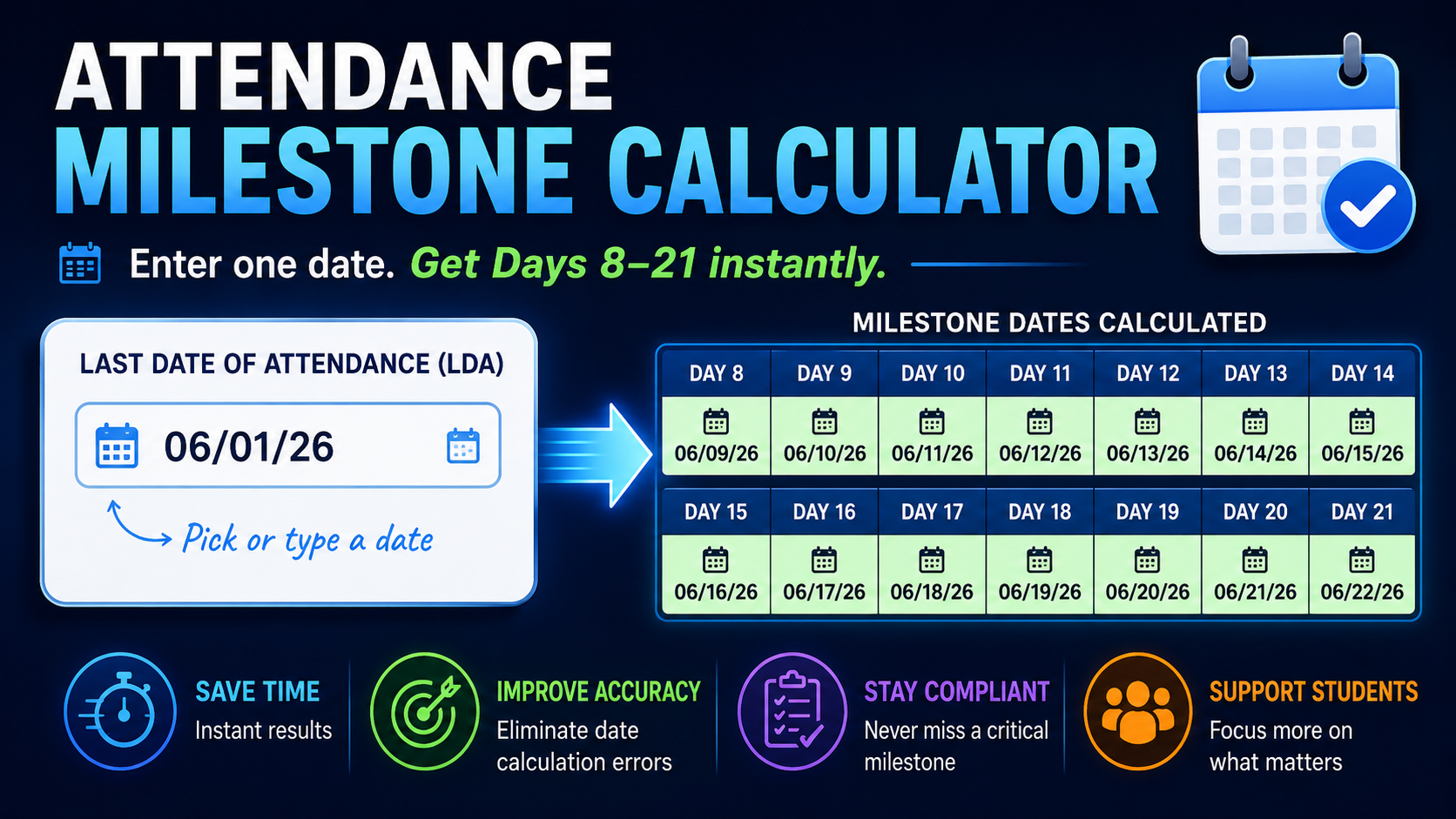
This snippet automatically calculates attendance milestone dates based on a student's Last Date of Attendance (LDA). Enter the LDA once, and the snippet instantly displays the corresponding Day 8 through Day 21 dates, eliminating manual date calculations and helping teams quickly identify key follow-up and compliance milestones.
Deeper Dive:
Many student support, retention, compliance, and operations teams rely on attendance-related milestones to determine when specific actions should occur. Manually calculating these dates can be time-consuming and increase the risk of errors, especially when managing large caseloads.
The Attendance Milestone Calculator simplifies this process by generating Day 8 through Day 21 milestone dates from a single date entry. This provides a quick reference for tracking timelines, identifying upcoming deadlines, and ensuring follow-up activities occur at the appropriate time.
By automating the date calculations, users no longer need to count days on a calendar, perform date math, or maintain separate reference sheets. The result is a faster, more consistent workflow that improves efficiency and reduces mistakes.
Common use cases include:
While designed for educational environments, the same concept can be applied anywhere milestone dates are calculated from a starting date, including customer onboarding, project management, employee training, case management, and other deadline-driven workflows.
Spend less time counting days and more time taking action.
This snippet automatically calculates attendance milestone dates based on a student's Last Date of Attendance (LDA). Enter the LDA once, and the snippet instantly displays the corresponding Day 8 through Day 21 dates, eliminating manual date calculations and helping teams quickly identify key follow-up and compliance milestones.
Deeper Dive:
Many student support, retention, compliance, and operations teams rely on attendance-related milestones to determine when specific actions should occur. Manually calculating these dates can be time-consuming and increase the risk of errors, especially when managing large caseloads.
The Attendance Milestone Calculator simplifies this process by generating Day 8 through Day 21 milestone dates from a single date entry. This provides a quick reference for tracking timelines, identifying upcoming deadlines, and ensuring follow-up activities occur at the appropriate time.
By automating the date calculations, users no longer need to count days on a calendar, perform date math, or maintain separate reference sheets. The result is a faster, more consistent workflow that improves efficiency and reduces mistakes.
Common use cases include:
- Tracking attendance and participation milestones
- Identifying outreach and intervention dates
- Monitoring compliance timelines
- Supporting student retention efforts
- Managing date-driven caseloads
- Quickly answering "What date is Day X?" questions
While designed for educational environments, the same concept can be applied anywhere milestone dates are calculated from a starting date, including customer onboarding, project management, employee training, case management, and other deadline-driven workflows.
Spend less time counting days and more time taking action.