Therapy Intake & Consent Forms

Blaze Team
About this snippets template
What's inside
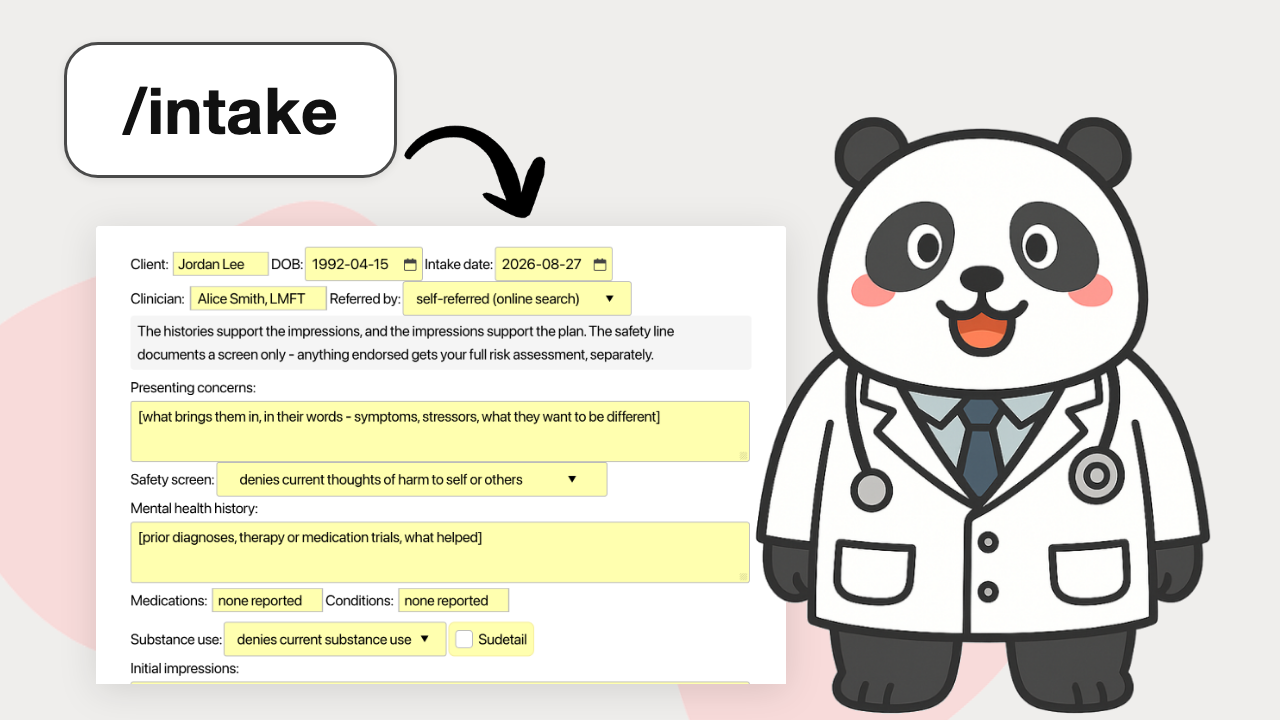
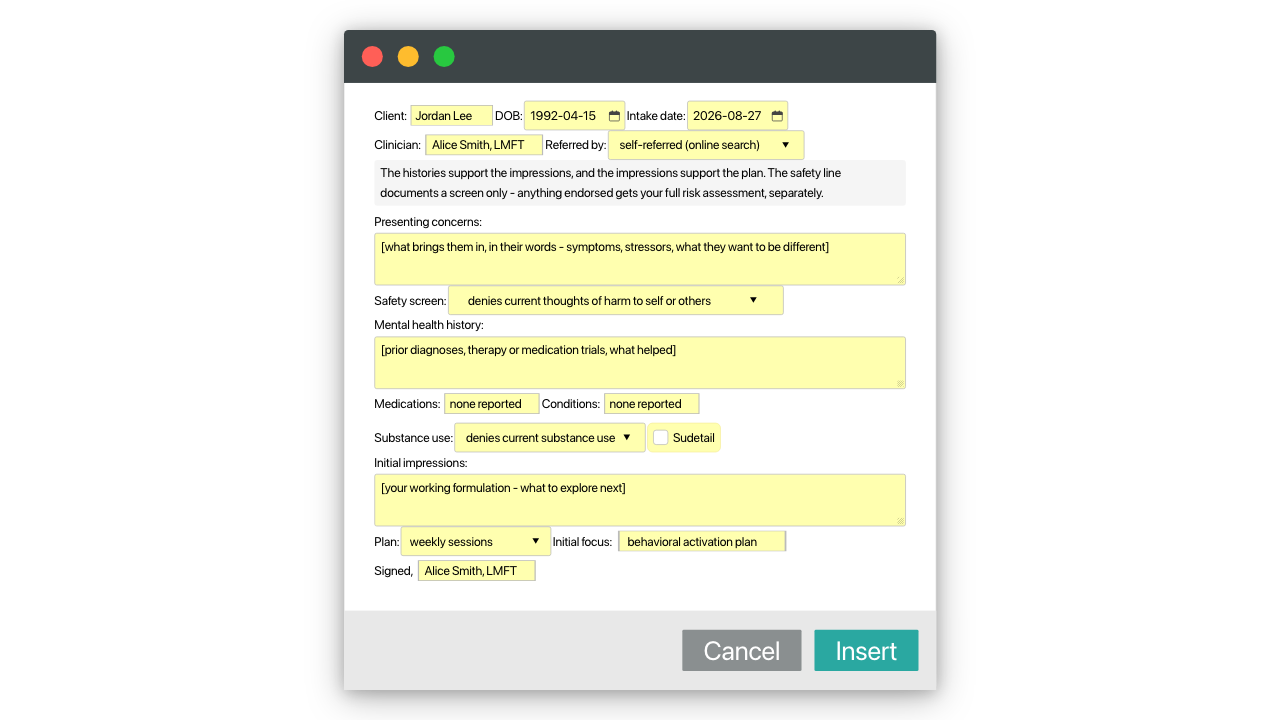
- Clinical intake scaffold (/intake): referral and safety-screen menus, history sections, substance-use detail toggle, initial impressions and plan
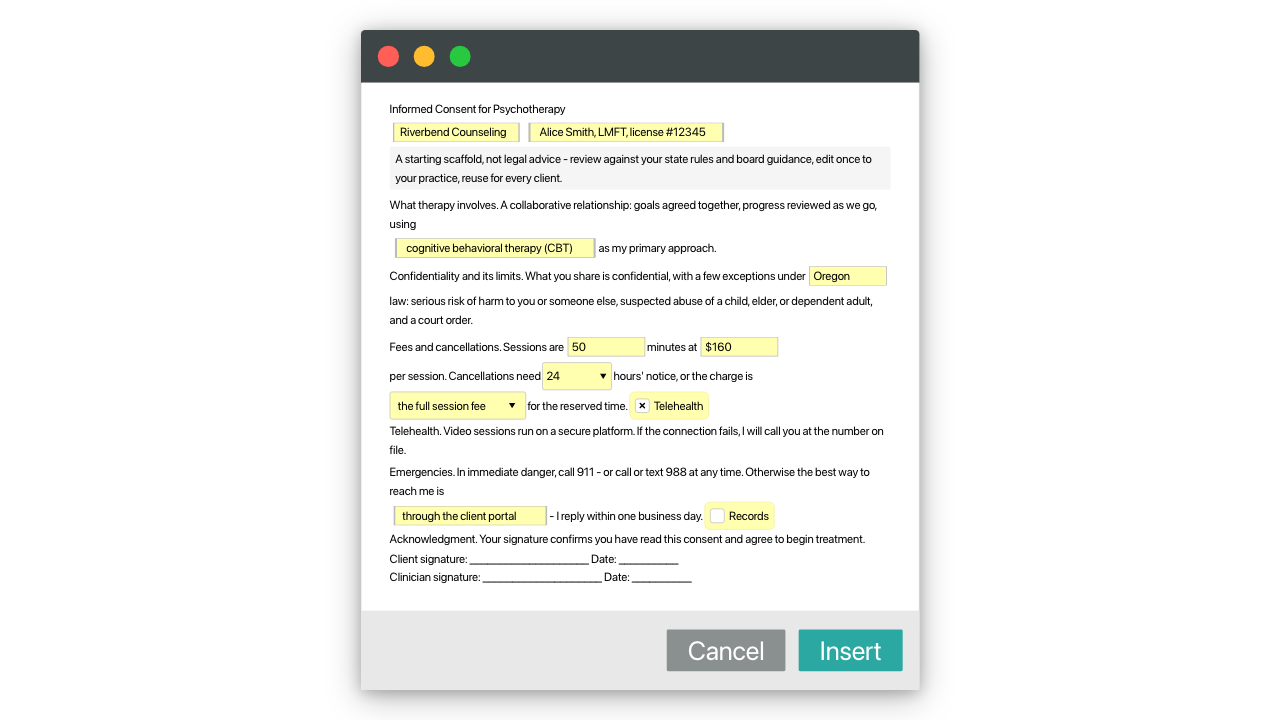
- Informed consent paragraphs (/consent): editable therapy consent form language for confidentiality limits, fees, telehealth and records, with your fee and notice window as fields
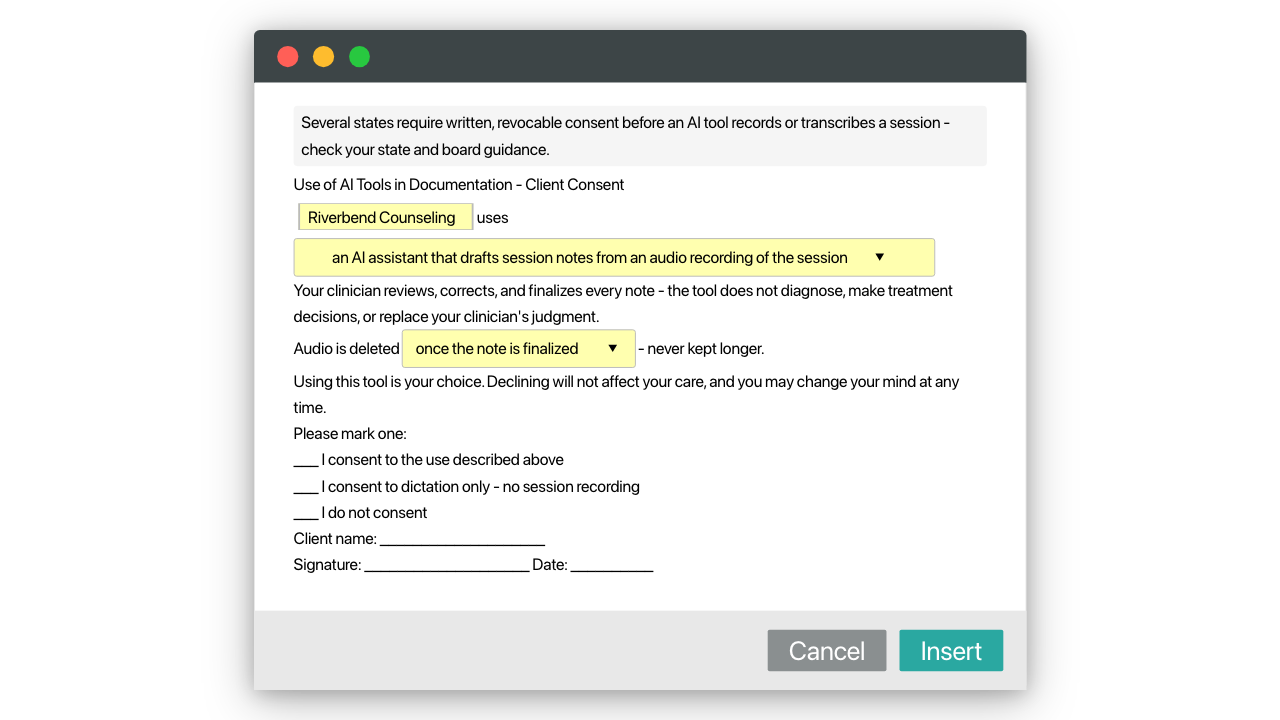
- AI-use consent language (/aiconsent): plain-language disclosure for practices using AI documentation tools, with a recorded client choice and revocation line
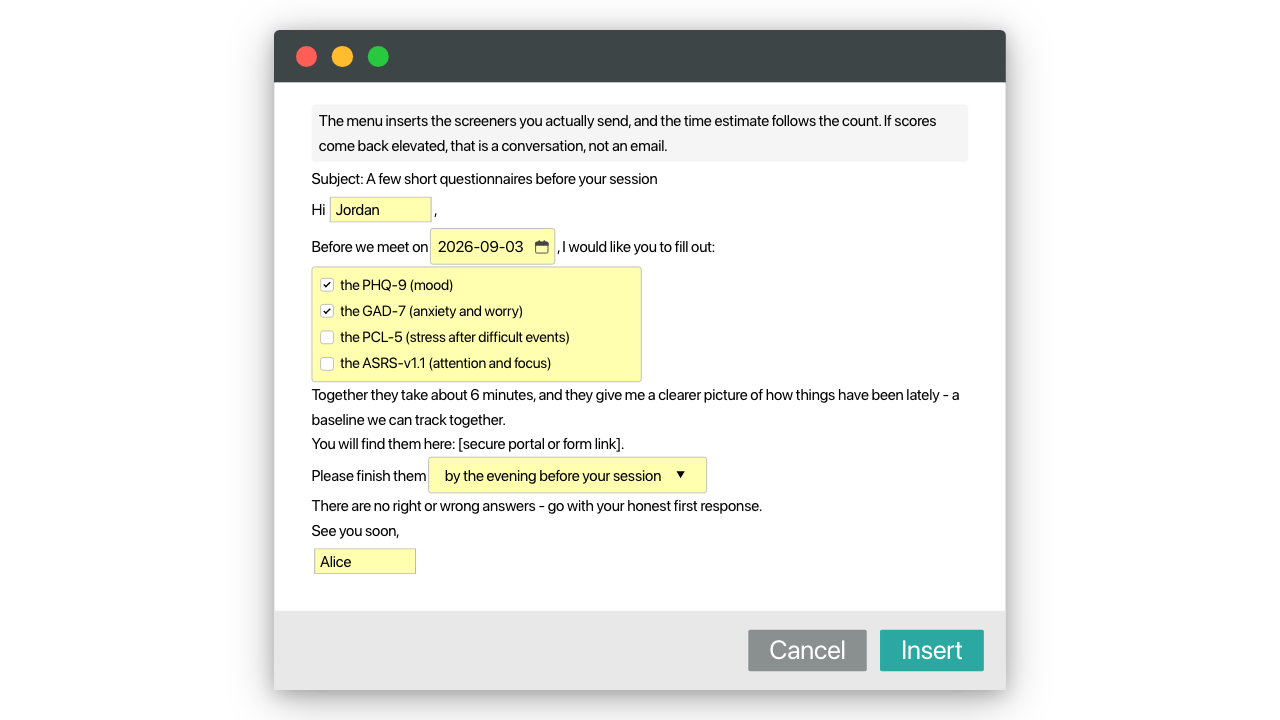
- Screener request message (/screeners): pick PHQ-9, GAD-7, PCL-5 or ASRS-v1.1 from a menu and the message adjusts, time estimate included
- ADHD screening request (/adhdscreen): one snippet that writes both the client message and the matching chart line
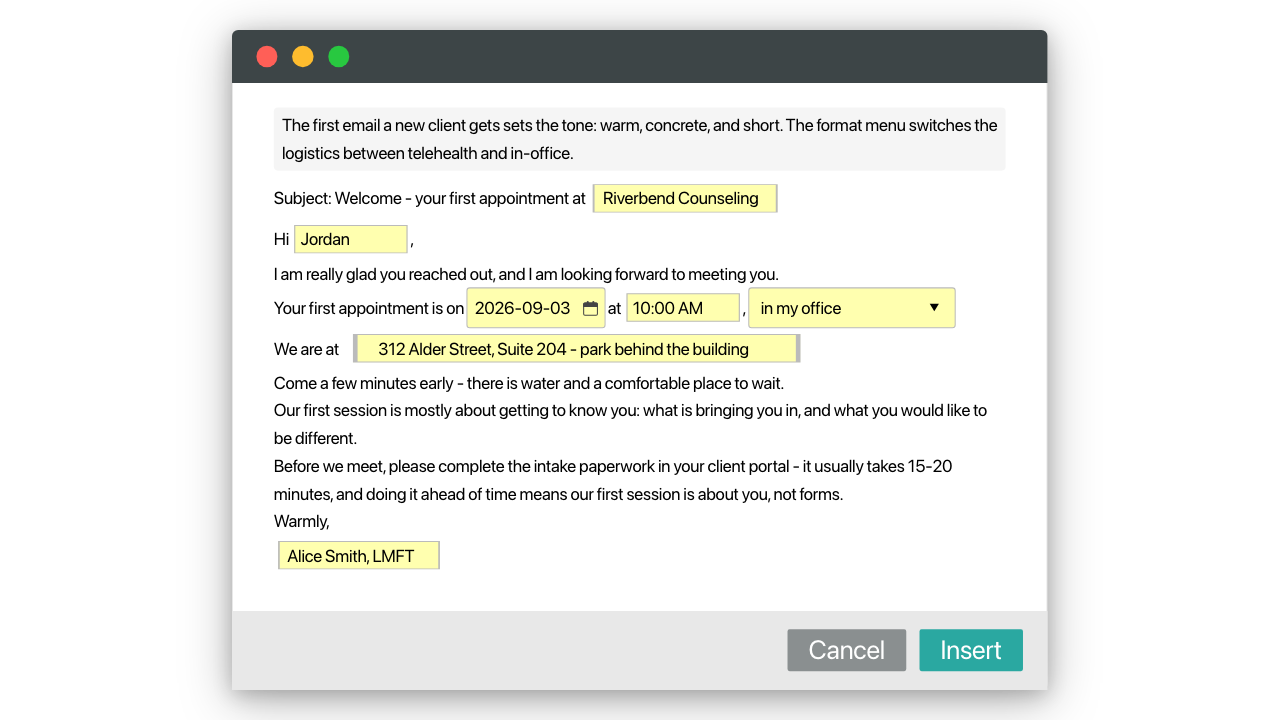
- New-client welcome email (/welcome): appointment details, what to expect, the paperwork nudge, and logistics that switch between telehealth and office
How it works
- Install the pack free. Snippets work wherever you type in Chrome: your EHR's note fields, your client portal, Gmail.
- Type a shortcut like /intake and the template expands in place.
- Fill the fields as it inserts. Menus handle the parts that repeat, text boxes the parts that don't.
Edit the consent language once against your own state rules (it is a starting scaffold, not legal advice), and it becomes your standard packet, reused with every client. That reuse is the part a therapy intake form pdf can't do. Install it and try /welcome on your next new-client inquiry.
Other templates by Blaze Team
Physical Therapy Progress Notes Templates
Blaze Team
Free
A physical therapy evaluation template, progress note, plan of care, discharge summary and letter you can insert anywhere with a keyboard shortcut, plus shorter snippets for commonly typed sentences. Fill in text boxes and drop-down menus, so an eval takes minutes, not hours.
Physical Therapy SOAP Note & Daily Note Templates
Blaze Team
Free
A physical therapy SOAP note template and a pelvic health daily note you can insert anywhere with a keyboard shortcut, plus shorter snippets for commonly typed sentences. Fill in pain, minutes and progress with text boxes and drop-down menus, so a daily note takes minutes.
Nursing Narrative Note Templates
Blaze Team
Free
Nursing narrative note examples you can insert anywhere with a keyboard shortcut: routine visit, change in condition and head-to-toe, plus shorter snippets for common sentences.