Therapy Progress Notes

Blaze Team
About this snippets template
What's inside: three progress note templates
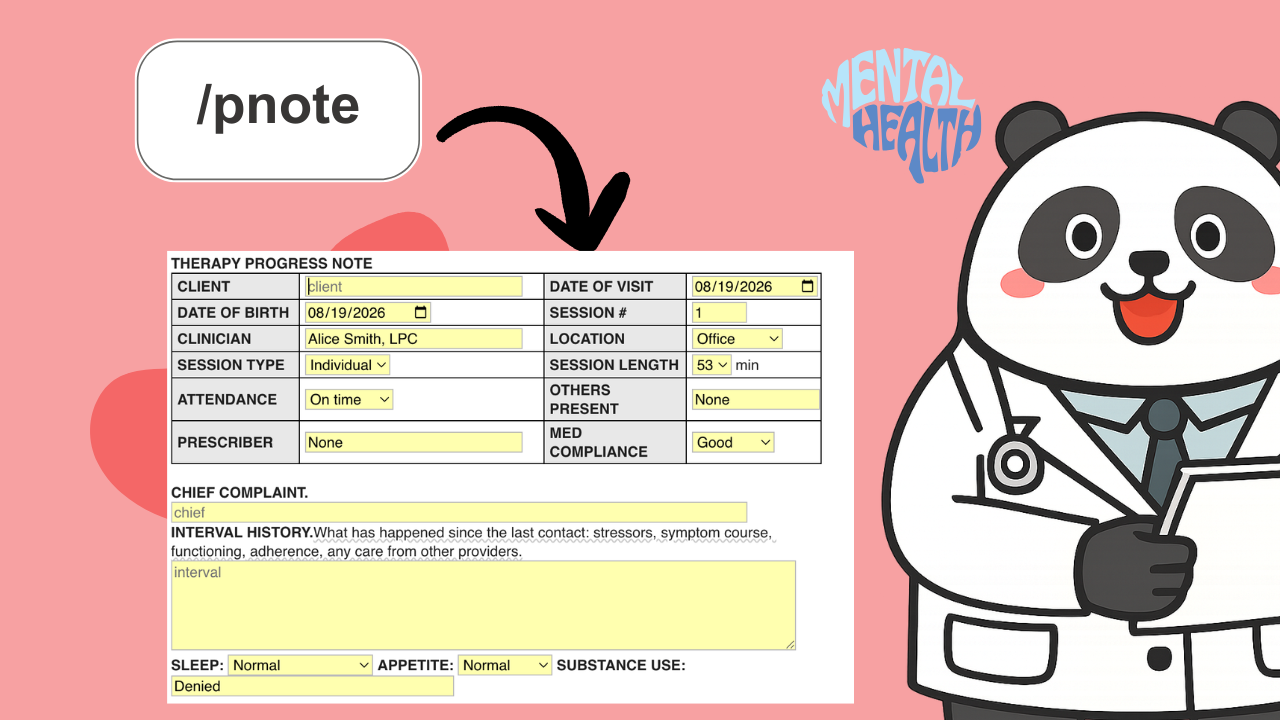
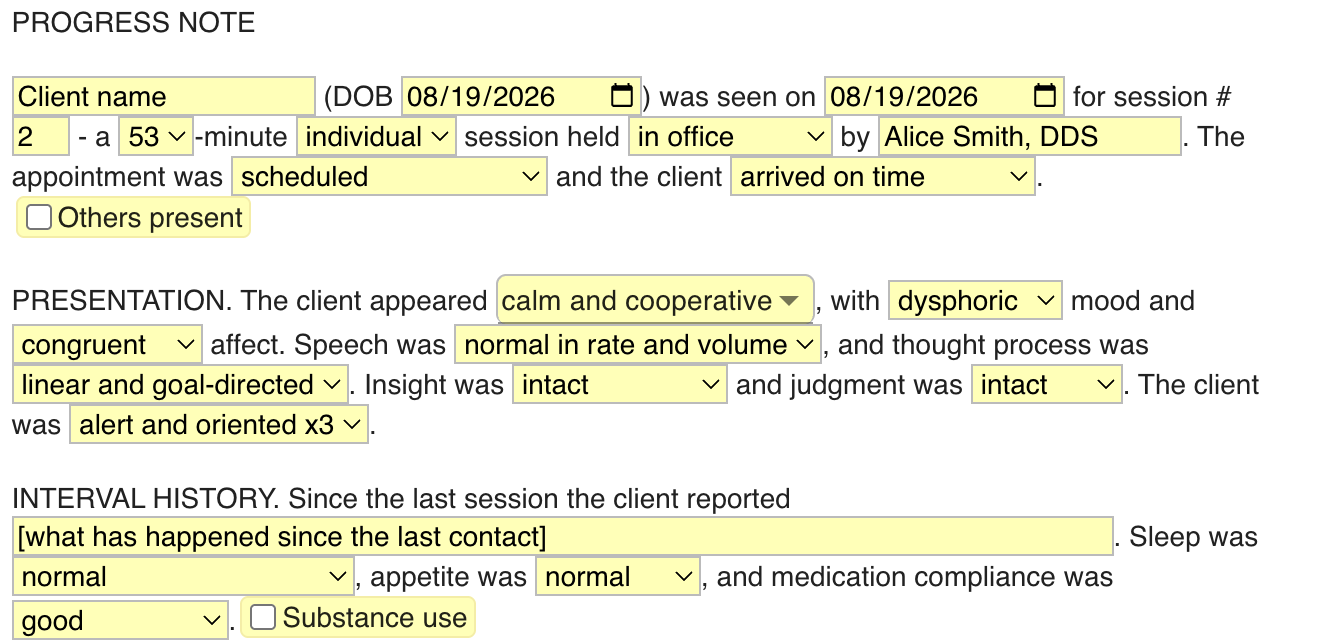
- /pnote writes the session up as narrative prose. One pass through the menus covers presentation, interval history, symptoms, interventions, response, risk and plan, and it comes out in full sentences.
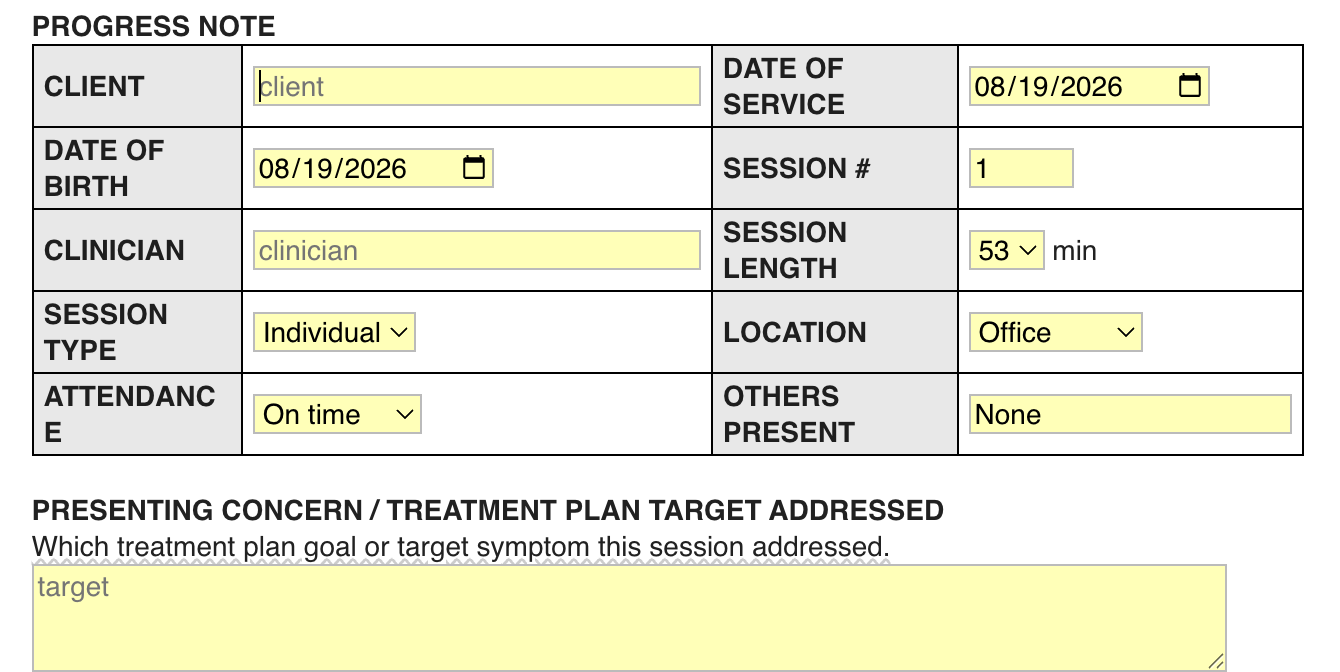
- /pnform lays the same note out as a form, with subjective, objective, interventions, response, risk, assessment and plan boxes. Each one carries a hint about what belongs in it, including medical necessity in the assessment.
- /pnfull adds a complete mental status exam template: appearance, psychomotor, speech, mood and affect, thought process and content, perceptions, cognition, insight and judgment. Vitals are an optional toggle.
Risk gets documented every time
Each version has a risk section that fills itself in: suicidal and homicidal ideation, self-harm, access to lethal means, safety plan status, protective factors and an overall risk level. It defaults to the denial language, so the section is never blank on a note somebody reads two years from now.
How it works
- Add the folder, then type /pnote, /pnform or /pnfull in your EHR.
- Work down the menus. The multi-select fields (symptoms, therapeutic interventions, MSE findings) join themselves into a sentence.
- Dates take care of themselves: today on the note, the next appointment two weeks out, your name and the date on the signature line.
Progress notes, session notes, counseling notes, whatever your EHR calls them, these work anywhere you type.
Other templates by Blaze Team
Physical Therapy Progress Notes Templates
Blaze Team
Free
A physical therapy evaluation template, progress note, plan of care, discharge summary and letter you can insert anywhere with a keyboard shortcut, plus shorter snippets for commonly typed sentences. Fill in text boxes and drop-down menus, so an eval takes minutes, not hours.
Physical Therapy SOAP Note & Daily Note Templates
Blaze Team
Free
A physical therapy SOAP note template and a pelvic health daily note you can insert anywhere with a keyboard shortcut, plus shorter snippets for commonly typed sentences. Fill in pain, minutes and progress with text boxes and drop-down menus, so a daily note takes minutes.
Nursing Narrative Note Templates
Blaze Team
Free
Nursing narrative note examples you can insert anywhere with a keyboard shortcut: routine visit, change in condition and head-to-toe, plus shorter snippets for common sentences.